
Part 5 - Fleet analytics example
In part 3, we are utilizing implicit for each functionality in calculation tool. That functionality makes it easy for us to create one calculation and run it upon all equipment instances of the same type. But what if we want slightly different scenario. What if we want to gather data from various equipment instances and then consolidate some calculated data to be put somewhere else. In the software industry, this kind of scenario is often called fleet analytics. In this tutorial, we will show example of how calculation tool can be used to make a fleet analytics system. The specific fleet analytic example that we are going to do is to calculate average power consumption of all the pumps from various sites.
Writing the code
To gather data from multiple instances of the same type, in the code we need to use array of that type. For this purpose, you need to set the ArrayDimension property of the parameter to be 1.
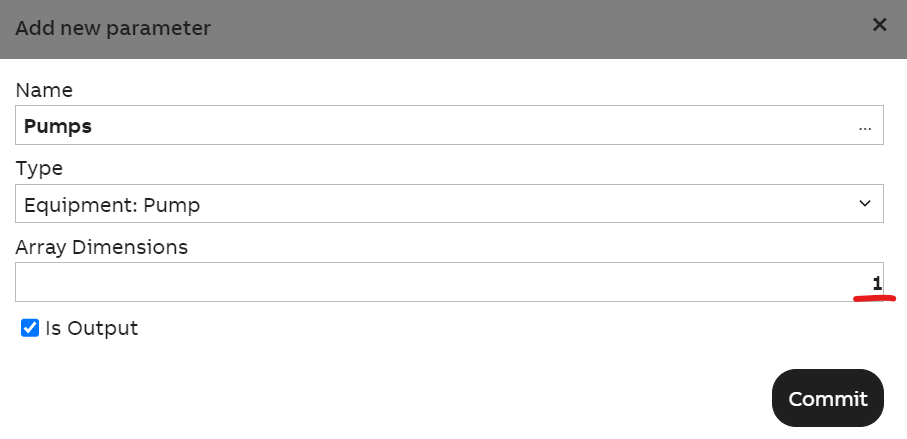
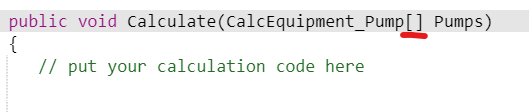
In the code editor, the Pumps parameter would then be presented as an array of CalcEquipment_Pump like below:
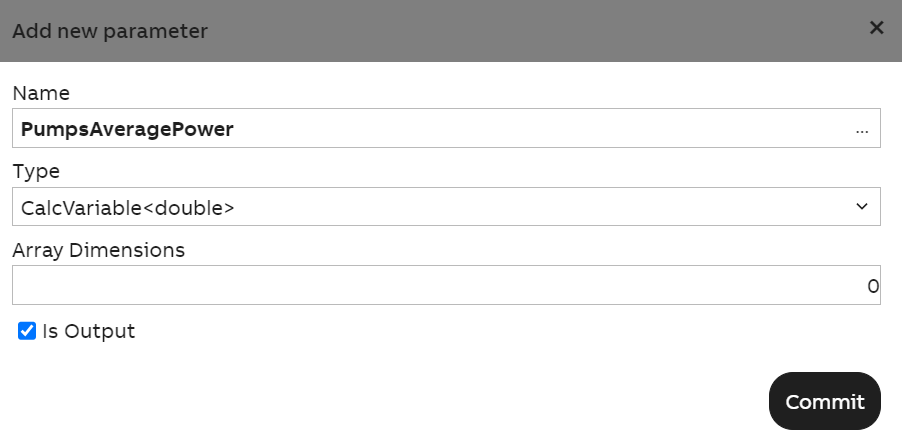
Also add the parameter to store the calculated result like below:
Write the code like below:
public void Calculate(CalcEquipment_Pump[] Pumps, CalcVariable<double> PumpsAveragePower)
{
  // put your calculation code here
  double powers = 0;
  foreach(var pump in Pumps){
    powers += pump.Power.First.Value;
  }
  PumpsAveragePower.First = powers / Pumps.Length;
}
From the code above, you can see that we can simply looping over all the pumps equipment. Within the loop we can get the value of all its properties for us to do fleet calculation with. We then store the result in PumpsAveragePower. We can map PumpsAveragePower to either a Variable or a historized equipment property. The ArrayDimensions property also works for variable.
Mapping the parameters
To map the Pumps parameter, simply do it like this
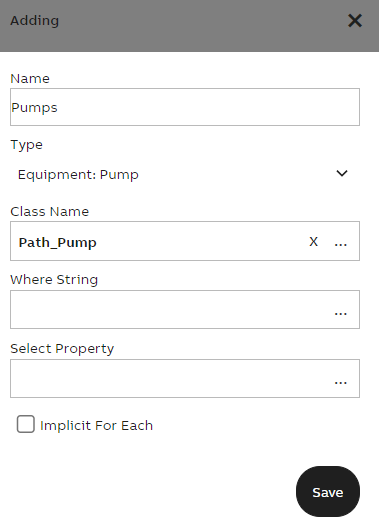
This will map Pumps to all instances of Path_Pump class, meaning all instance of Path_Pump class will be the array elements of Pumps. As have been told above, ArrayDimensions property also works for variable, check example below
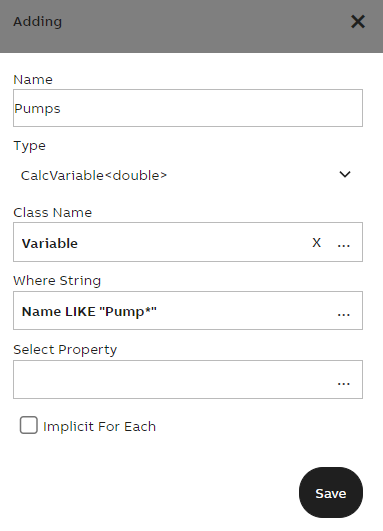
In the example above, we are mapping to Variable class. Let's day we have variables named Pump1, Pump2 and Pump3. Mapping it that way will result in all three of them being mapped as array in our Pumps parameter.
Updated 9 months ago