
Engineering UI
Engineering UI is a web application managing ABB Ability™ History. The web-based user interface securely connects to the server to configure, monitor and audit the ABB Ability™ History database enriching the use of the data. Engineering UI is part of the default ABB Ability™ History installation.
The Engineering UI being a web-based application eliminates platform independence and runs on any operating system with modern web browser software (such as Chrome, Firefox, or Edge), including a mobile operating system like iOS and Android.
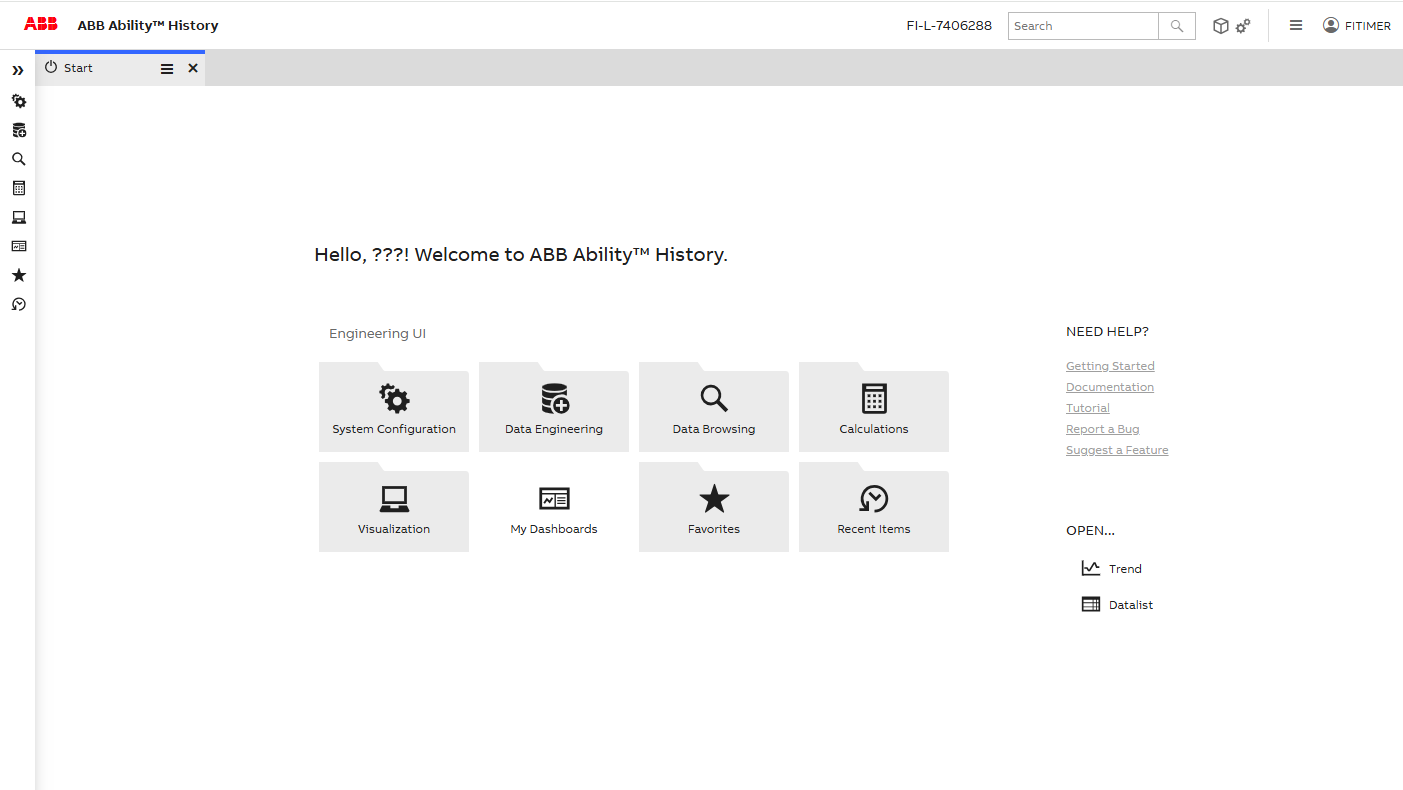
Main features
Engineering UI has three groups of main functionalities as described below.
Configuration
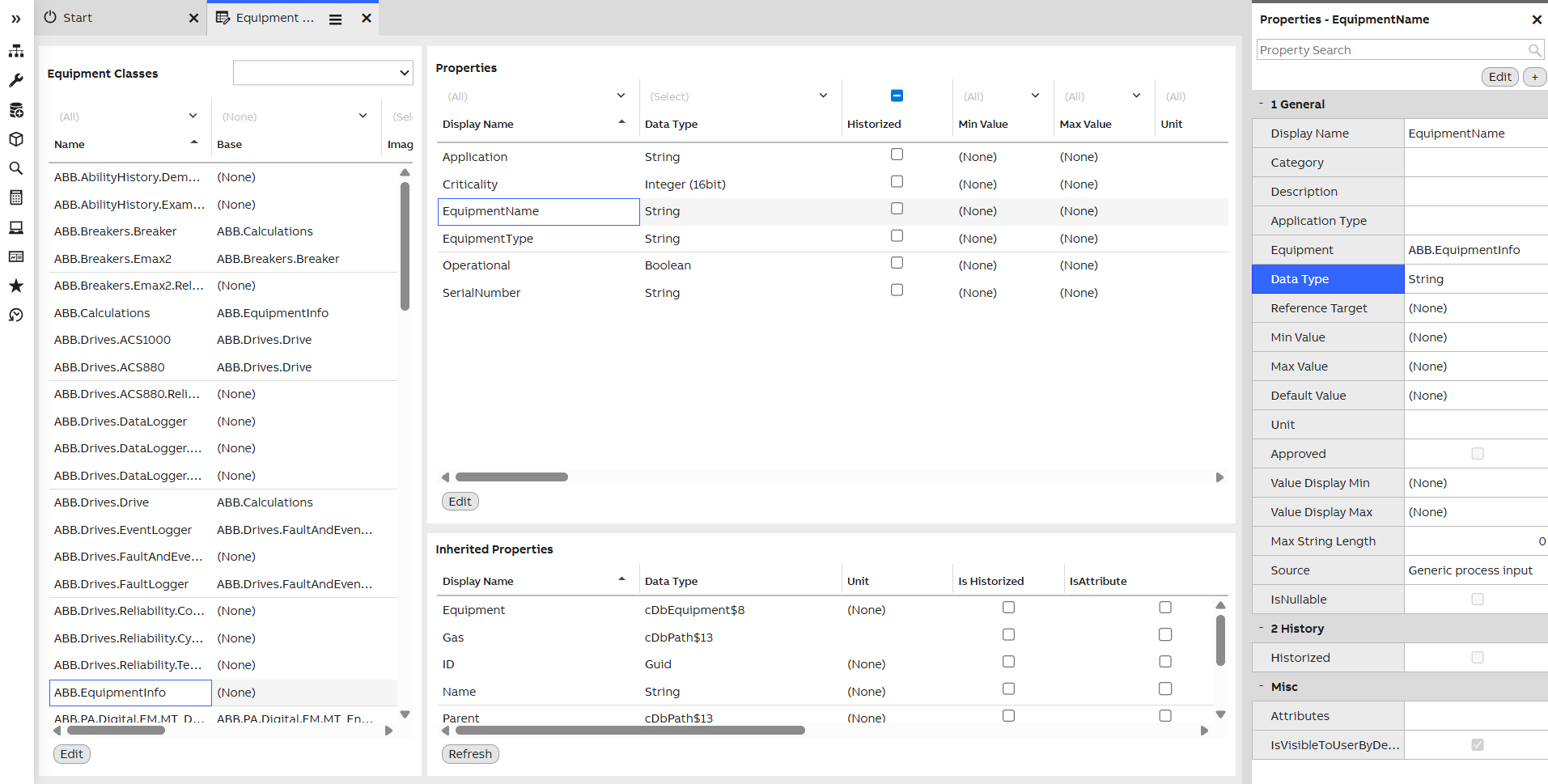
Engineering UI configure menu
Using Engineering UI the user configures many aspects of ABB Ability™ History, such as:
- Defining information models
- Setting up Histories and configuring data collection parameters
- Defining user/group-specific access rights
Monitoring
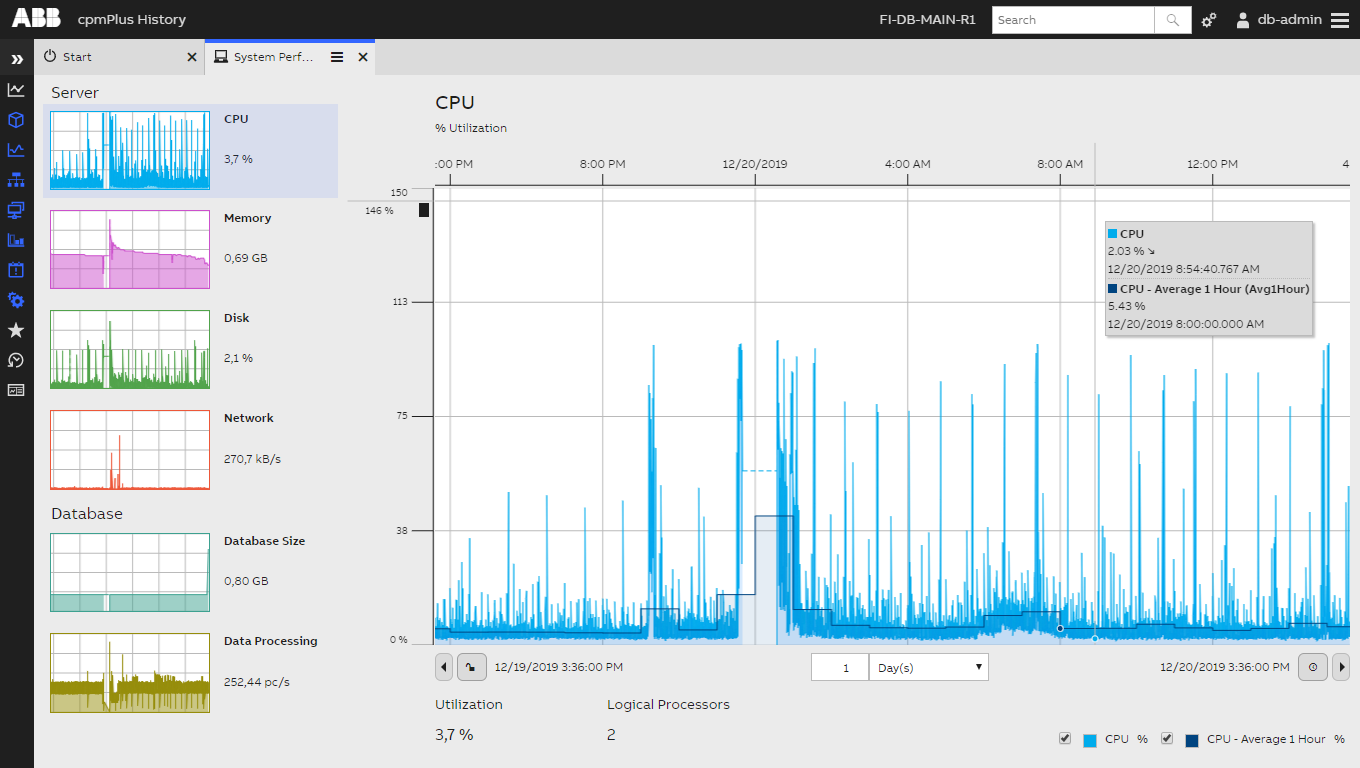
Engineering UI monitor menu
Those responsible for the system's operations would want to have the ability to closely monitor the system's performance.
- Database performance and size
- Service resource consumption
- Overall System performance
- Histories of each Performance KPI
Auditing
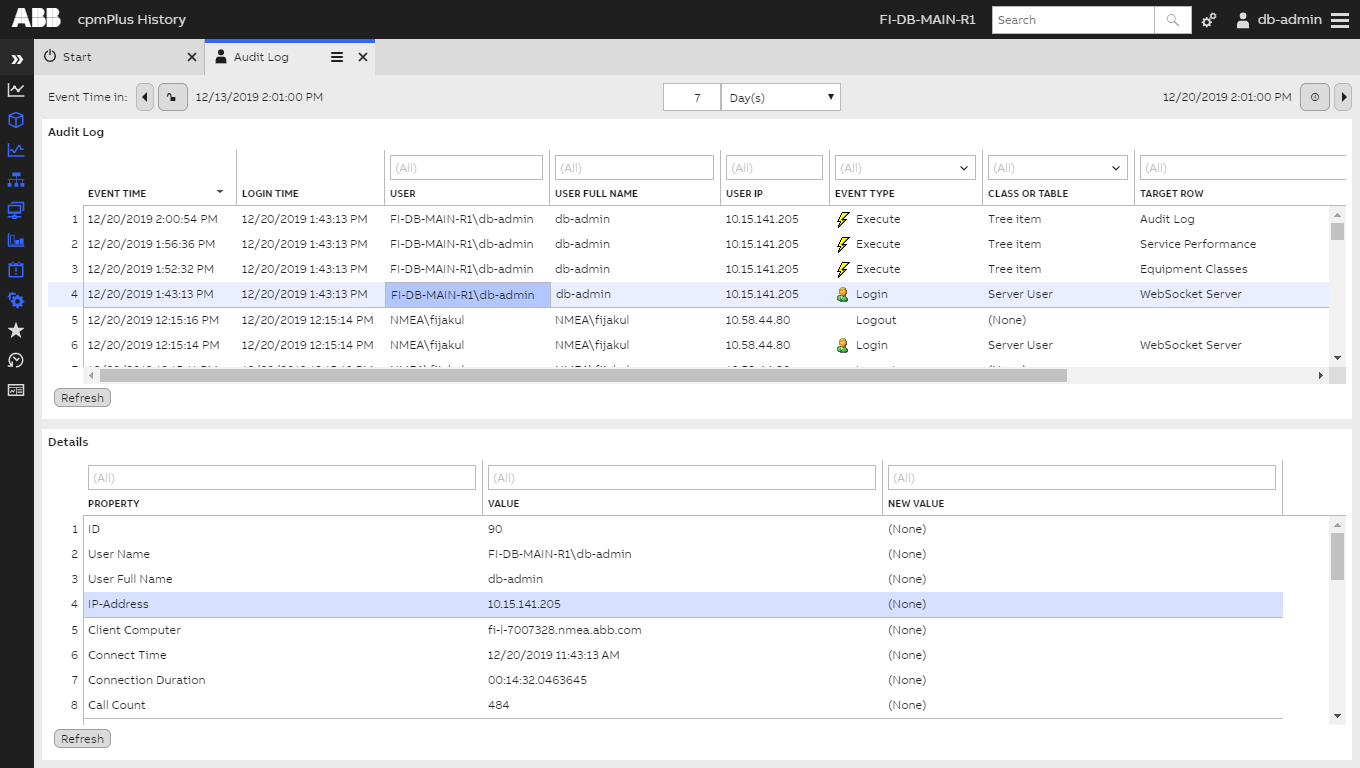
Engineering UI audit menu
Engineering UI also lets the user do system auditing. From this web UI, they can take a look and investigate several system logs such as:-
- User actions (maintenance operations)
- User Login/Logout
- Current User Sessions
- Data retrieval/each session
How to access
The Engineering UI can be accessed using a modern web browser (Chrome, Firefox, or Edge) or navigating to https://{server-address}/history with your web browser.
Locally on the server, the Engineering UI can be accessed using a shortcut "ABB Ability™ History - Engineering UI" on the desktop or navigating to https://localhost/history.
Tutorials
We have prepared tutorials to get you started with the Engineering UI:
- Creating Equipment Model in Engineering UI tutorial
- Monitor database size
- Create a trend display
- Customize Engineering UI
Other recommended reading
- You might find it useful if you read through the main components of ABB Ability™ History UI SDK in the architecture section.
- Creating an Application, on this page the user will gain insights on how an application in ABB Ability™ History can be built. Including:
- Importing and exporting dashboards
- Navigation methods
- Application configuration and deployment.
Updated 3 months ago
Here we have collected some handy tutorials for getting started with the Engineering UI