
System Performance
This display allows you to monitor key aspects of your system’s health and performance, including:
- CPU utilization
- Memory utilization
- Disk space and usage
- Network activity
- Database size
- Data processing
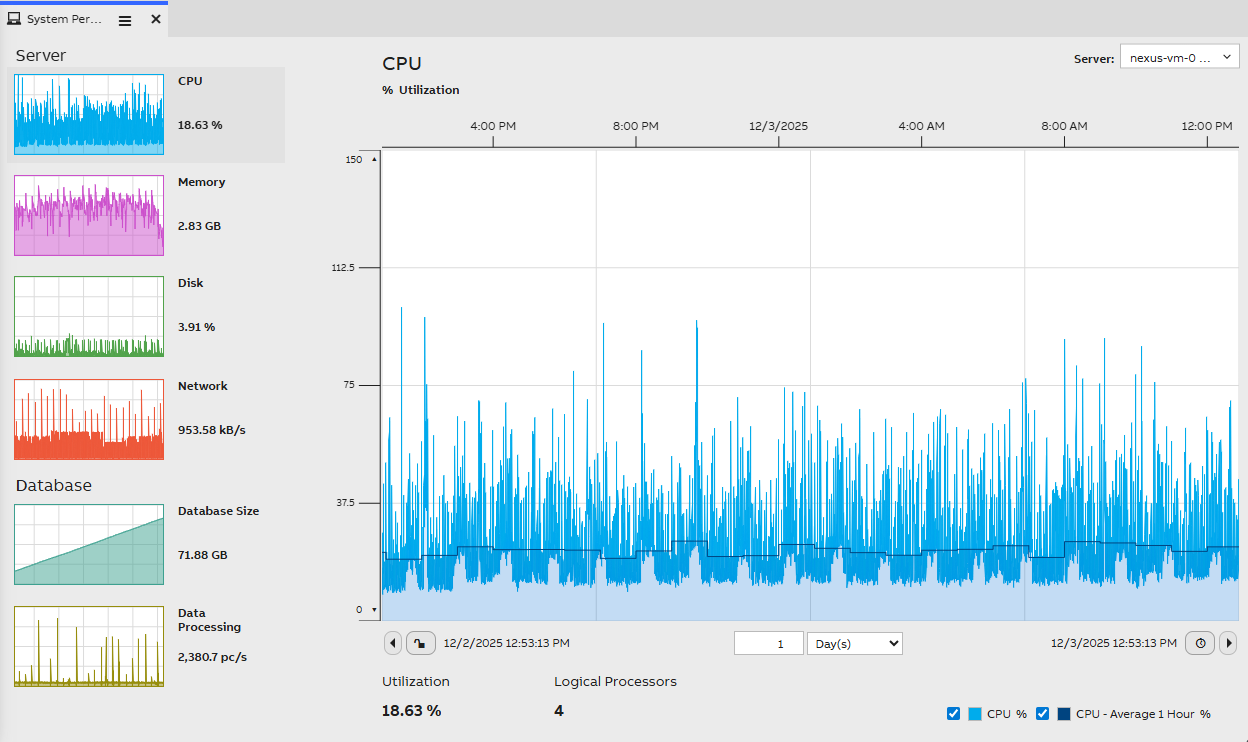
How to Use the System Performance Display
- From the top-right corner, you can choose which system’s data you want to monitor.
- On the left side, you will find navigation buttons for each section (CPU, Memory, Disk, Network, Database Size, Data Processing).
- When you select a section, the right side displays a larger trend chart along with additional detailed data.
- Use the time bar to browse historical data and analyze trends over different time periods.
Updated 3 months ago