
Calculation Tool security
There are four Calculation Tool-related security requirements:
-
Calculation processes should have restricted access to the local host machine (the machine where the calculations are running) and the access rights should be possible to modify and control.
-
The access to the Calculation Tool classes and instances should be restricted and controlled.
-
A running calculation should not have access to the database instances that the user creating the calculation cannot access.
-
API Whitelisting is used to secure the Calculation Tool by limiting potentially harmful code which could harm server.
Restricted user account for running the CalcService
CalcService is compiling and CalcProcess is running the code which user has committed to the database. Thus, the user may add pieces of code that affect the host machine in which the CalcService is running.
In order to control access to the host machine, it is recommended that the Calculation Tool processes are executed with a restricted user account.
By default, a local CalcService user is created during the installation that will run the Calculation Tool processes. When running a calculation, the process assumes the permissions of the group specified for the calculation.
Access control for Calculation Tool classes
The access to the Calculation Tool classes is restricted and controlled with group permissions. Only the following groups have CRUD (create, read, update, and delete) access rights to Calculation Tool classes:
\Administrators(system admins)\RTDB-admin(database admins)\RTDB-CalcUser(database users)
Therefore, any non-admin Calculation Tool user should be added to the \RTDB-CalcUser group or to a custom group with similar access rights.
In order to provide group-based access control for the core parts of the Calculation Tool (calculations (CalcTask) and codes (CalcDefinition)), the user needs to define a valid group name when creating a new calculation or code. With Group property, only a user belonging to the defined group (or an admin) is able to have CRUD access to the instance.
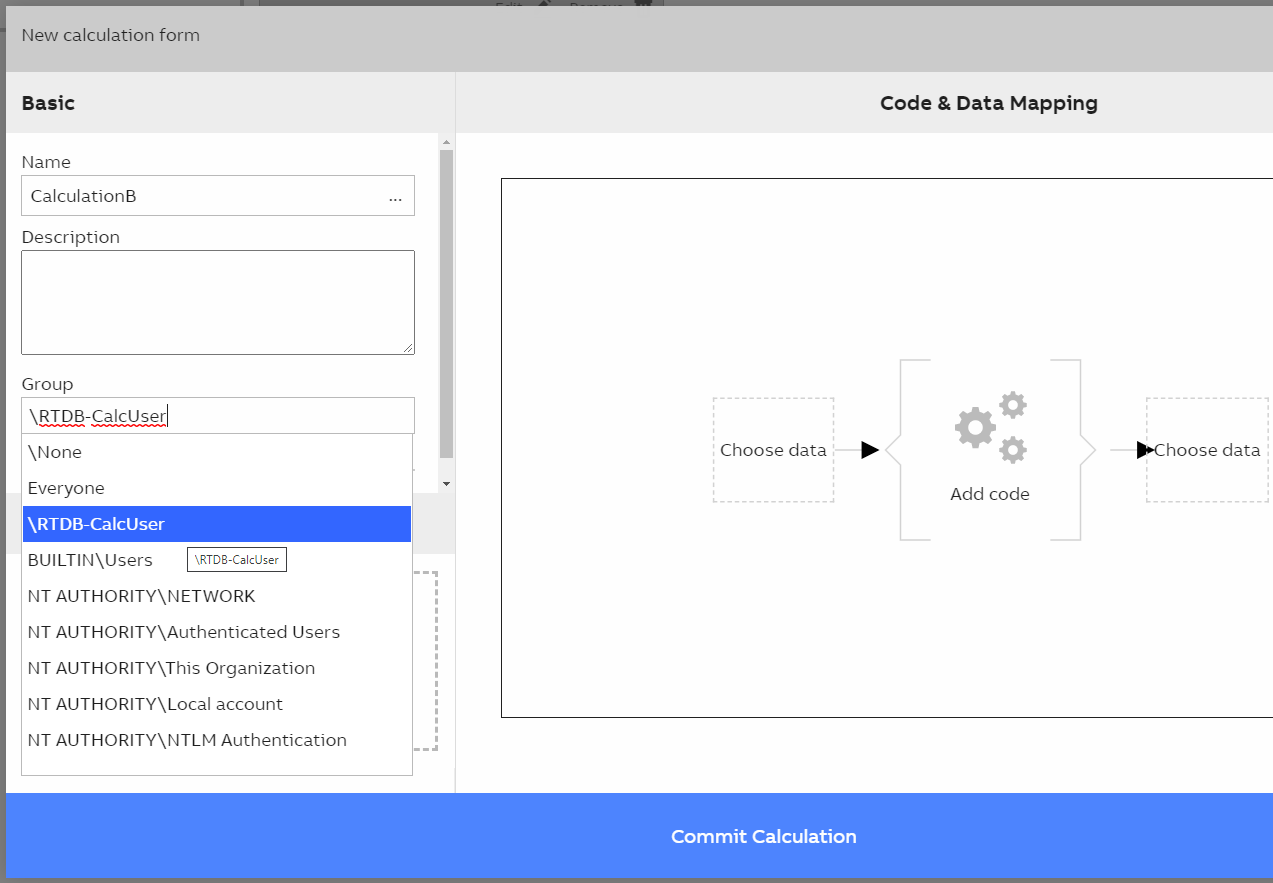
Selecting group for the Calculation from the drop-down list.
As an example, the database is having 4 users: Admin, User1, User2, User3. They belong to the following groups:
Adminbelongs to groups\Administratorsand\RTDB-adminUser1belongs to the group\RTDB-CalcUserUser2belongs to the group\RTDB-CalcUserUser3belongs to the group\RTDB-Operator
Let's assume that there exist three calculations with the following group property values:
CalculationAwith group\RTDB-CalcUserCalculationBwith group\RTDB-CalcUserCalculationCwith group\Administrators
This results in the following CRUD access rights:
CalculationAaccessed byUser1,User2, andAdminCalculationBaccessed byUser1,User2, andAdminCalculationCaccessed byAdmin
Access control for instances used in calculations
Because calculations have mappings to other database instances, such as variables and equipment instances, the permission for these instances should also be controlled. The Group defined in the calculation (CalcTask) defines also the permission level for mapped instances. In calculations, the following permissions are required:
- Input parameters: read
- Output parameters: read, write, and execute
- Event-based task triggers: read
By default, admins have full control and \RTDB-CalcUser group read access to database instances. If the \RTDB-CalcUser group has not been granted write or execute access to the output parameter of the calculation, the following error is encountered:
"UnauthorizedAccessError: Some permissions are missing (read and write access required) to Variable instance(s): [MyVariable]"Thus, the admin needs to grant instance-specific write and execute access for the group in order to allow the calculation to be started.
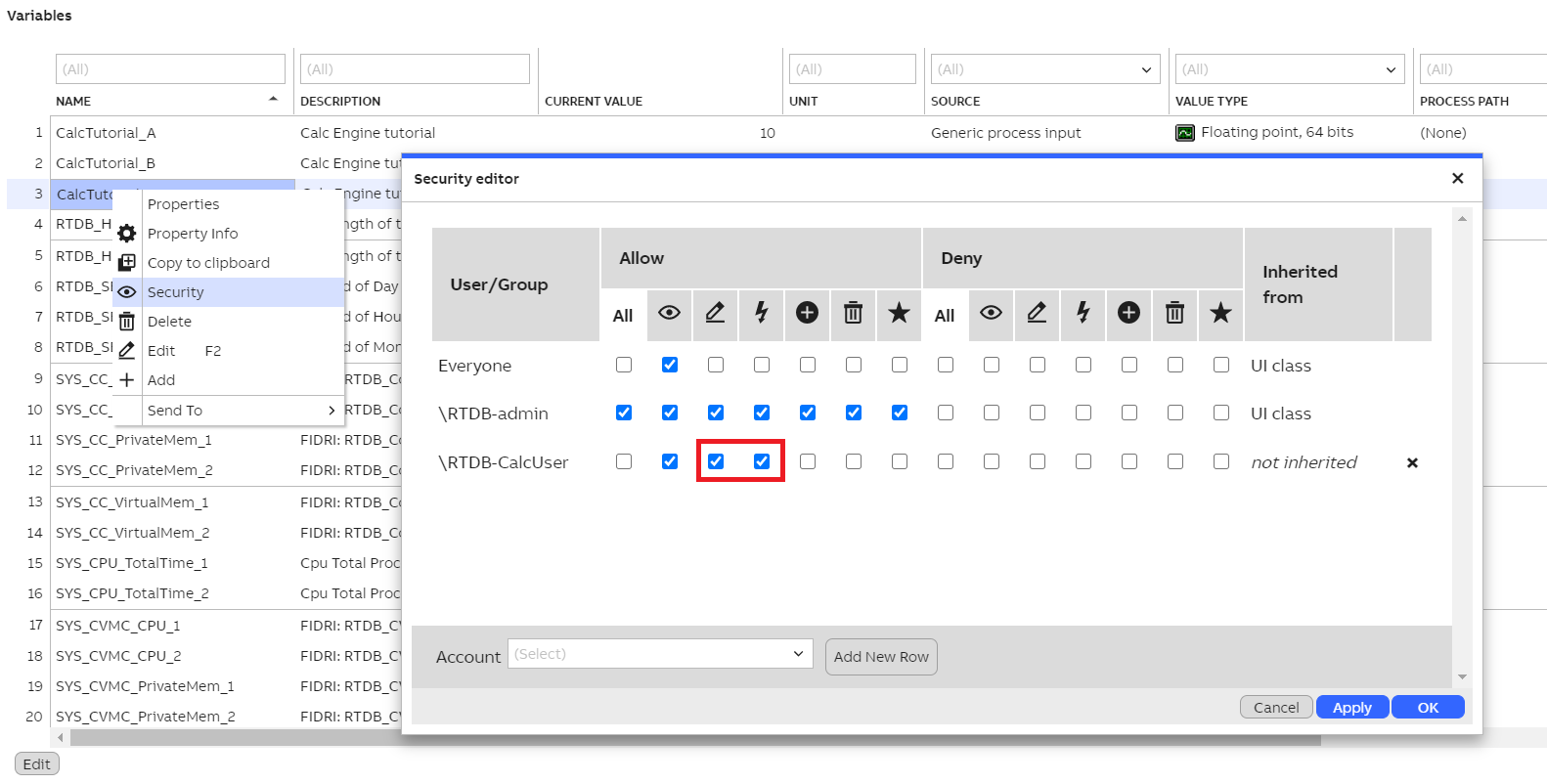
Admin needs to grant write and execute access for the \RTDB-CalcUser group. This can be done by right-clicking the instance and opening the Security window. Here we are using the Variables view as an example, but the same approach works for equipment instances.
API Whitelisting used in calculations
Calculations have possibility to run malicious code which could harm server. So, whitelisting is used to limit the usage of risky API on the calculation code.
- Part 4 - API Whitelisting - This part focuses on how to add new value in whitelist.
Updated 9 months ago