
System sizing and performance
This section gives guidance when building different size of systems and what kinds of resource consumption can be expected.
ABB Ability™ History can be used in various configurations and deployments where the system size, expected functionalities, as well as the deployment environment are varying a lot. This section gives some examples of typical installation configurations that can be used as estimation base lines when designing a solution.
The following example systems are presented with a defined load reference point and respective resource consumptions.
-
Tiny system has less than 1000 Variables or historized Equipment properties and data ingestion rate below 500 values/second. Use case example is a data collector for a device or a local time series storage for an application.
-
Small system signal count is between 1000 and 10000 Variables and data ingestion rate below 5000 values/second. Use case example is a history engine embedded in a control system.
-
Medium system has 10k - 50k Variables and data ingestion rate below 25k values/second. Use case example is a process information management system for a small or medium size industrial plant.
-
Large system has over 50k Variables and data ingestion rate over 50k values/second. Use case example is a plant wide process information management system.
The data pattern that is used in the reference systems can be seen in the following trend chart.
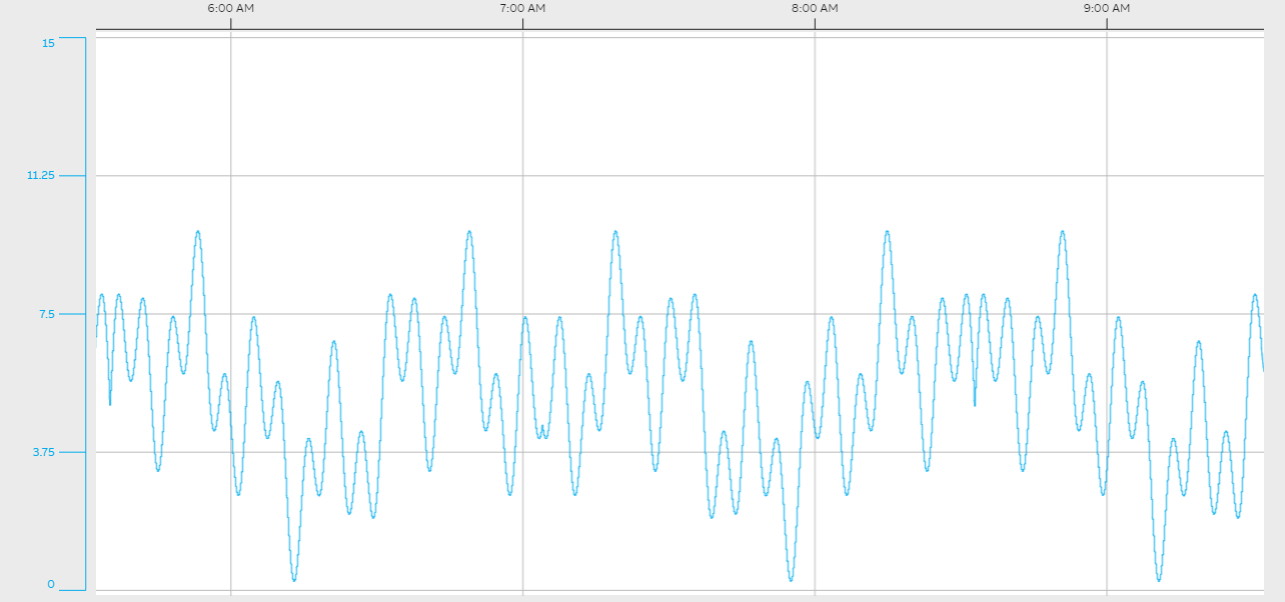
Test data pattern
In the reference systems, the numerical data is recorded into StreamHistory with default compression settings and there are typically one precalculated aggregation defined for each Variable.
Other things need to be considered for resource calculationsNotice that in addition to the reference systems resource consumption presented in the following sections, you need additional resources for
- Aggregations - one additional precalculated aggregate is consuming same amount of resources as 1 Variable
- Data retrieval by users - reserve typically 30% more RAM and CPU for users
- Calculations – one calculated Variable that uses 3 history streams as input consumes as much resources as 3 input Variables
- Redundancy requires 20% more system resources
- Hierarchical/network system connection consumes 20% more system resource
- External applications that use APIs such as OPC servers or OData.
Disk space consumption
The following table provides some guidance about the disk space consumption in a typical industrial use case. Data is stored in StreamHistory with two different compression setting:
- The first with LZW compression, but without QL compression, i.e. totally lossless compression. Values are doubles (64 bit floating points) and the measured effective storage space consumption is typically 12 bytes/value.
- The second with LZW compression and with QL compression enabled (still almost lossless compression). Values are doubles (64 bit floating points) and the measured effective storage space consumption is typically 3 bytes/value.
Scenario | Double Values /second | GB per day | TB per year | TB per 10 years |
|---|---|---|---|---|
Without QL compression | 100 | 0.10 | 0.03 | 0.3 |
Without QL compression | 1000 | 1 | 0.3 | 3 |
Without QL compression | 10000 | 10 | 3.4 | 34 |
Without QL compression | 25000 | 24 | 9 | 86 |
Without QL compression | 50000 | 48 | 17 | 172 |
Scenario | Double Values /second | GB per day | TB per year | TB per 10 years |
|---|---|---|---|---|
QL compression enabled | 100 | 0.02 | 0.01 | 0.1 |
QL compression enabled | 1000 | 0.2 | 0.1 | 1 |
QL compression enabled | 10000 | 2 | 1 | 10 |
QL compression enabled | 25000 | 6 | 2 | 21 |
QL compression enabled | 50000 | 12 | 4 | 43 |
Updated 9 months ago