
Batch Job
How to achieve dynamic calculation periods.
Overview
Normal calculation task configuration provide constant deterministic calculation periods. In some scenarios a user might need dynamic calculation period according to e.g. factory production events. Batch job calculation mode can be used to serve this purpose.
After enabling batch job for calculation, the calculation process will track changes in the chosen batch indicator signal. Every change will separate batches - time spans that serve as calculation periods.
Calculation Period OffsetIf calculation task has period offset configured, the invocation of the calculation of the previous batch will be done after a delay equal to the period offset.
It is important to note that the default calculation period for the batch job is always the previous completed batch, i.e. time period between the two last changes of the batch indicator signal.
Batch indicator
Batch indicator defines the calculation period and it can be used to trigger the calculation execution, though the execution can also be started with scheduler or event trigger. Batch indicator should always be a Variable or historized Equipment property.
Calculation Period OffsetStarting from version 5.3_25.05, calc UI will automatically set No Compression and DiscreteValue to true on the Variable and/or property that is being used as Batch Job indicator. This is to avoid confusion while working with Calculation result.
Usage
To enable batch job support, tick the slider in the calculation task windows at the bottom left corner. Ticking it back to "Off" state will disable batch job support and will prompt the user to leave or delete a batch indicator mapping.
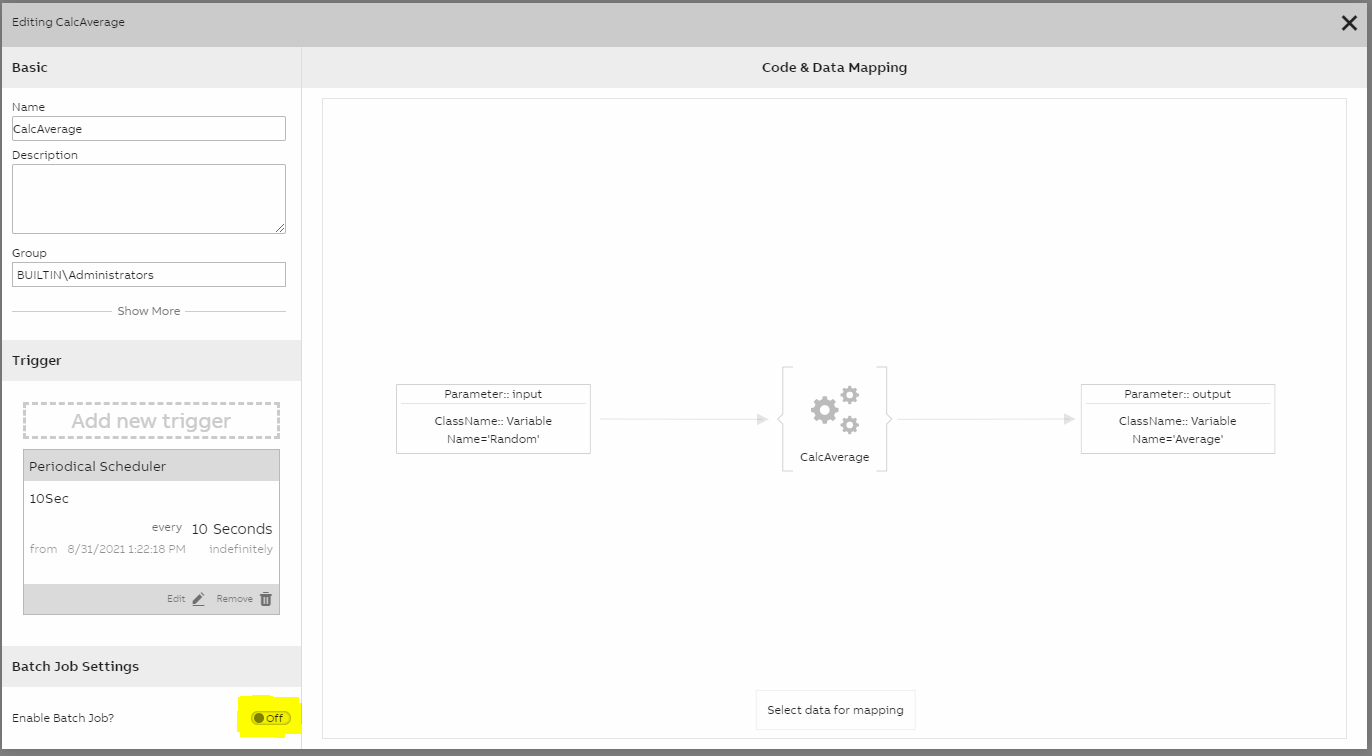
Batch Job slider
After enabling the batch job support, select the appropriate batch job variable. Picking different options will auto populate the required fields in the calculation task table. Closing this window will save changes and shortly after the calculation will start to work in a batch mode.
Updated 9 months ago