
Part 4 - API Whitelisting
In this 4 part of the tutorial, we will add a missing whitelist value in the database.
The Calc Engine is using the calculation whitelist for a security reason and it is not allowing user to run malicious code. Only database admin user can edit the Whitelist database.
If calculations are in progress, they must be restarted to obtain a new whitelisting's.
DisclaimerPlease be careful when you make changes to the calculation whitelist database values.
If you add there new values make sure that you're not introducing a security hole update and ABB takes no responsibility of those.
The whitelist
Step 1: Log in
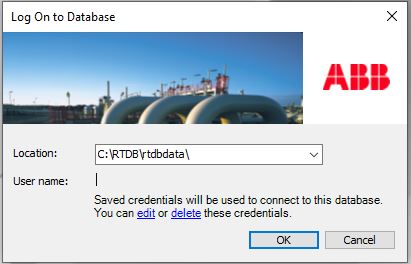
First you have to use direct connection to your local RTDB database:
Step 2: Find Whitelist
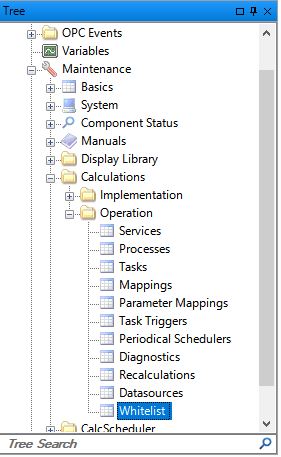
Next open Whitelist database values from the tree (Calculations > Operation > Whitelist):
Step 3: Add new row to Whitelist
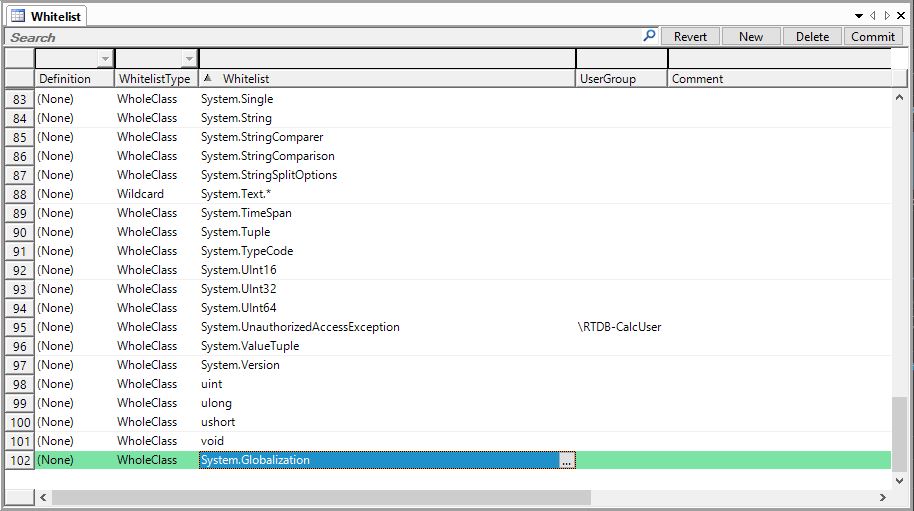
Add new value to the whitelist from New button on top right corner:
Step 4: Define new Whitelisting settings
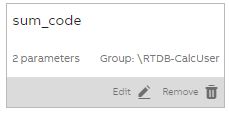
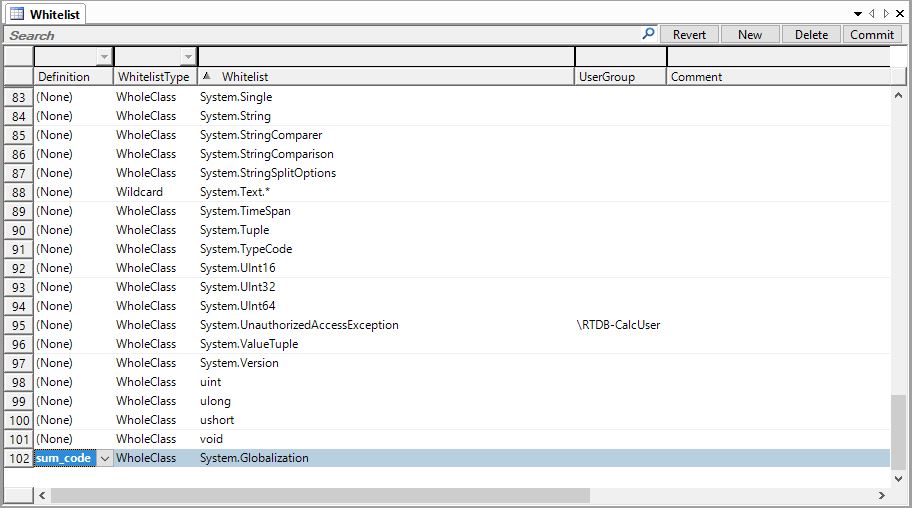
- Definition: Default value is (None), meaning that the Whitelist value is used for all calculations. If you want to apply Whitelisting in only one calculation, you can define the calculation name here. E.g. sum_code as image shows below.
- Whitelist type:
- Wildcard: Means that the Whitelist value is a Wildcard format like:
System.Text.*
- WholeClass: Members of a class are accessed by using WholeClass. A class in C# is fully known by its respective namespace and needs to be white listed as:
[namespace].[ClassName]System.Globalization
- UserGroup: Empty - means that the Whitelist value is used for all calculations. Can be narrowed by defining specific user group. E.g. "\RTDB-CalcUser". Now Whitelist value is only used for this user group.
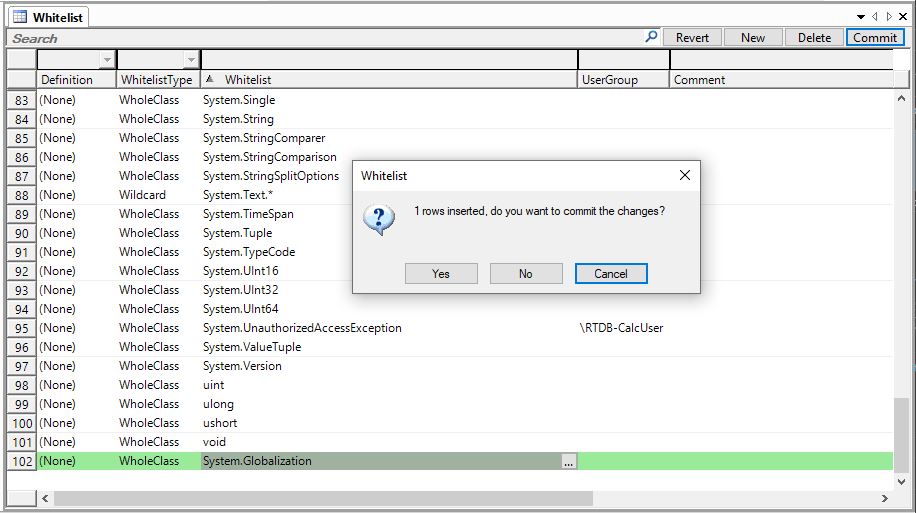
Step 5: Remember to commit changes
Commit changes:
Step 6: Check your Calc Catalog code
Now the Whitelisting should work and calculation code allows Whitelisted values.
Updated about 2 months ago