
Using VtrinCmd as the Export Tool
| Longhand | Description |
|---|---|
| --connectionstring | Database Connection |
| --exportjson | Export JSON class data |
| --exportjsontreenode | Export JSON from TreeNode instance and other related data |
| --exporttofolder | Export individual TreeNodes recursively to target folder |
| --user | User for the connection (prefix stored credential name with *) |
| --savecredentials | Save entered credentials to the credential storage |
| --outfile | Write output to a file |
Connect to Database
VtrinCmd --connectionstring /path/to/your/data --user username
The screenshot is for illustration purposes only. Please replace with your own values.
It will give an error if the connection fails:
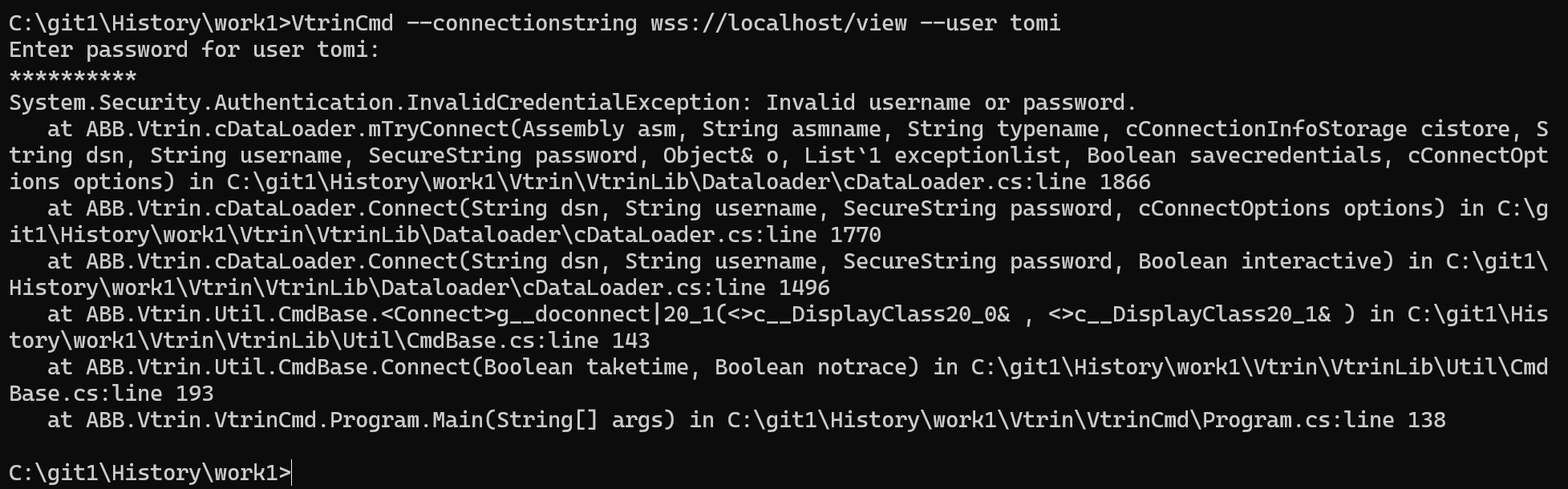
The screenshot is for illustration purposes only. Please replace with your own values.
Credential
Store credential for reuse:
VtrinCmd --connectionstring /path/to/your/data --user username --savecredentials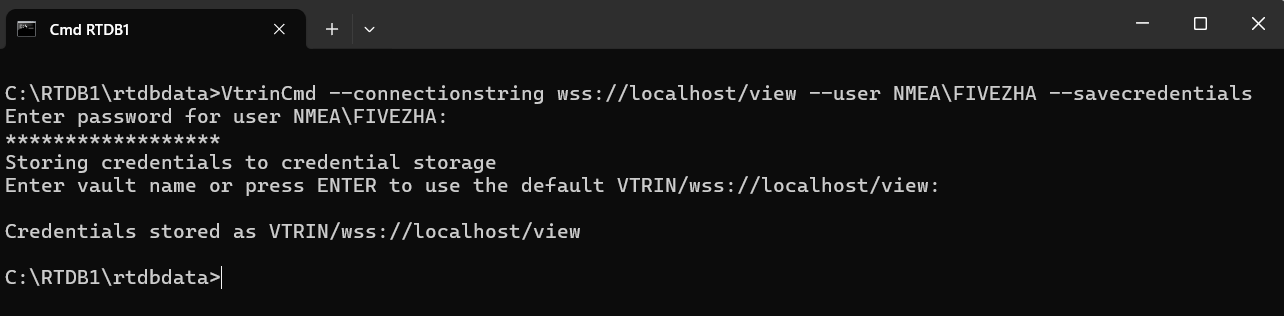
The screenshot is for illustration purposes only. Please replace with your own values.
Export the Root (or a specific ) TreeNode and Its Subtree into a Folder Hierarchy
To learn more about the concepts of TreeNodes and property bags, please visit: https://docs.cpmplus.net/docs/creating-an-application#/
VtrinCmd --connectionstring /path/to/your/data  --exporttofolder  .\target-folder-path\foldername  --exportjsontreenode TreeNodeID
 --recursive
JSON output: A complete folder hierarchy is generated under the specified output path, starting from either the root tree node (TreeNodeId: 00000000-0000-0000-0000-000000000000) or a selected tree node. Each folder represents a tree node and contains the exported JSON files for that node and all of its descendants. The export includes associated metadata, UI strings, and property bags.
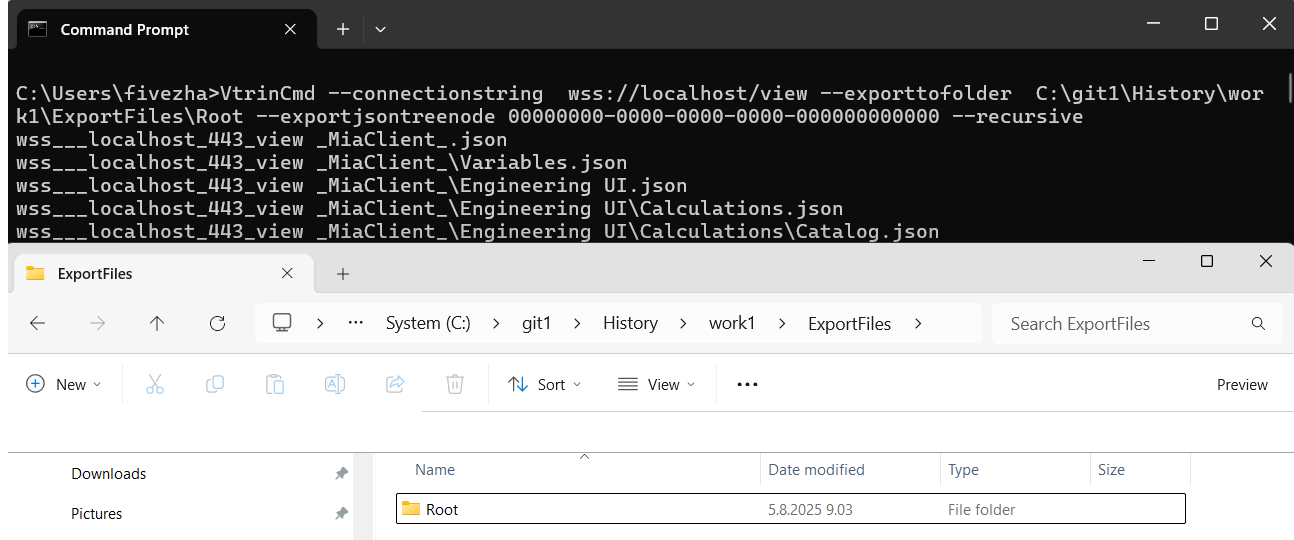
The screenshot is for illustration purposes only. Please replace with your own values.
Export from the Root or a specific TreeNode
VtrinCmd --connectionstring /path/to/your/data --exportjsontreenode "Root-Node-ID" --recursive --outfile .\target-folder-path\filename.jsonJSON output: A complete navigation tree starting from the root tree node (TreeNodeID: 00000000-0000-0000-0000-000000000000) or a specified tree node (TreeNodeID), including all descendant tree node instances. The export captures associated metadata, UI strings, and property bags.
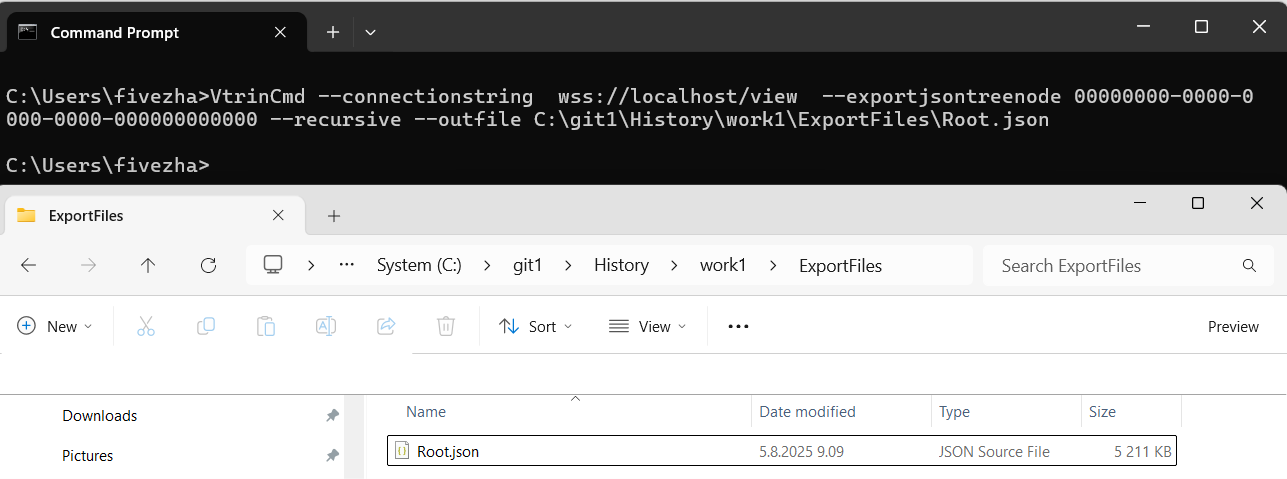
The screenshot is for illustration purposes only. Please replace with your own values.
Export All Equipment Models
VtrinCmd --connectionstring /path/to/your/data --exportjson Equipment --outfile .\target-folder-path\filename.jsonJSON output: The base class and all of its derived classes, including their Id, Name, ClassName, and other related metadata fields.
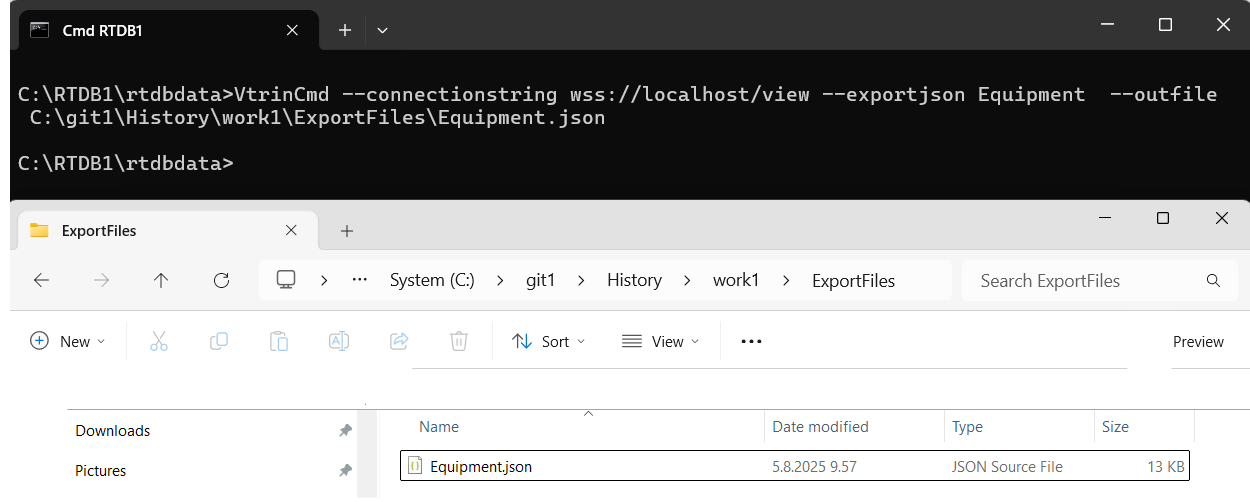
The screenshot is for illustration purposes only. Please replace with your own values.
Export Multi-Selected Equipment Models
VtrinCmd --connectionstring /path/to/your/data --exportjson "Equipment[]:Mask|Equipment[]:Mask|Equipment[]:Mask"---outfile .\target-folder-path\filename.jsonJSON output: The base class and the matching derived classes, including their Id, Name, ClassName, and other related metadata fields.
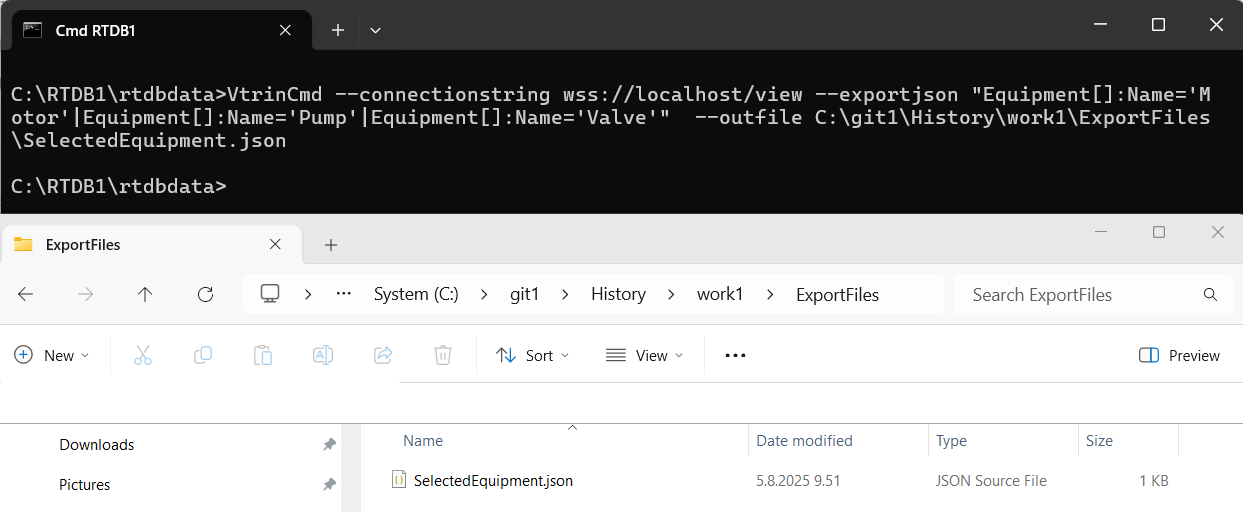
The screenshot is for illustration purposes only. Please replace with your own values.
Export a single Equipment Model
VtrinCmd --connectionstring /path/to/your/data --exportjson Equipment[]:Mask --outfile .\target-folder-path\filename.jsonJSON output: The base class and the matching derived class, including its Id, Name, ClassName, and other related metadata fields.
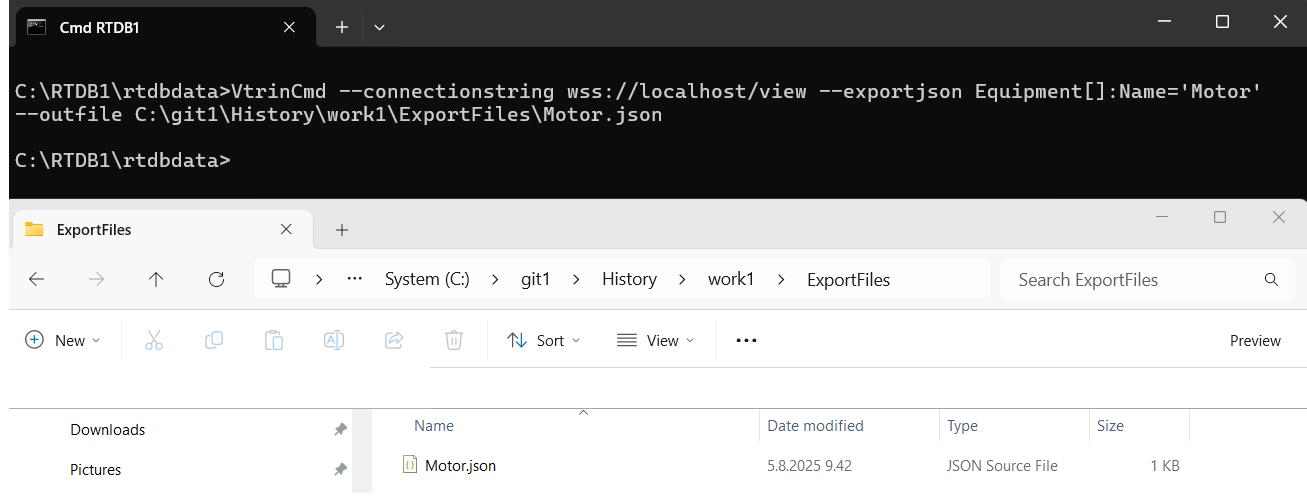
The screenshot is for illustration purposes only. Please replace with your own values.
Export EquipmentPropertyInfo for All Equipment Models
VtrinCmd --connectionstring /path/to/your/data --exportjson "EquipmentPropertyInfo" --outfile .\target-folder-path\filename.jsonJSON output: All property definitions from the base equipment class and its derived models. Captures control tags, status fields, configuration parameters, and diagnostics. Each property entry contains metadata such as ID, display name, data type, default value, unit, historization settings, and a link to its corresponding equipment model via the Equipment reference.
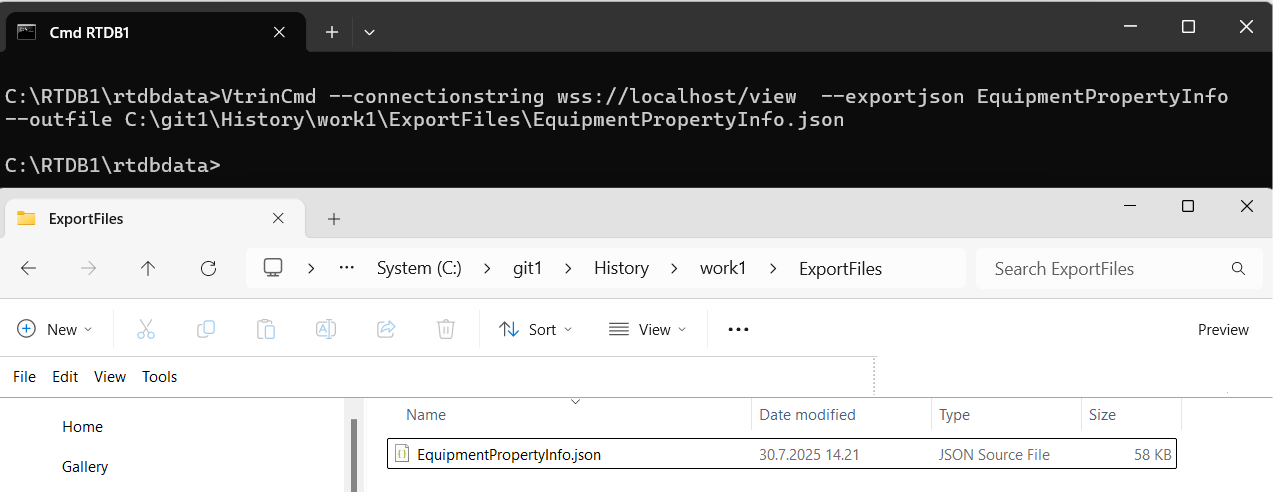
The screenshot is for illustration purposes only. Please replace with your own values.
Export EquipmentPropertyInfo for Multi-selected Equipment Models
VtrinCmd --connectionstring /path/to/your/data --exportjson "EquipmentPropertyInfo[]:Equipment='Name1' OR Equipment='Name2' OR Equipment='Name3'" --outfile .\target-folder-path\filename.jsonJSON output: Property definitions for the selected equipment models. Captures control tags, status fields, configuration parameters, and diagnostics across multiple models. Each property entry contains metadata such as ID, display name, data type, default value, unit, historization settings, and a link to its corresponding equipment model via the Equipment reference.
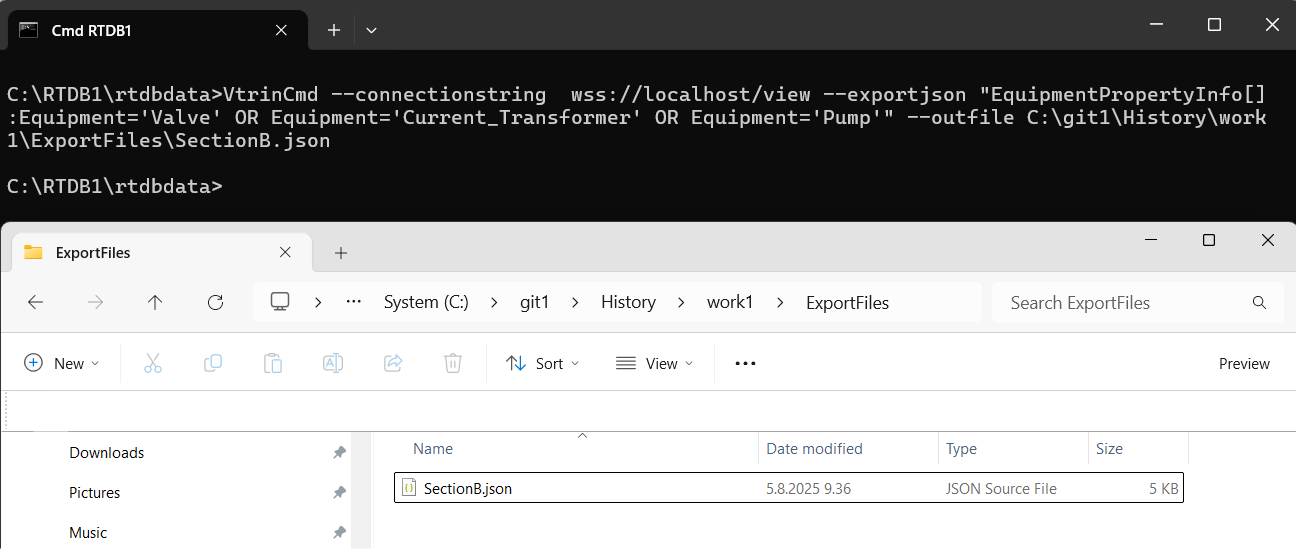
The screenshot is for illustration purposes only. Please replace with your own values.
Export EquipmentPropertyInfo for a Selected Equipment Model
VtrinCmd --connectionstring /path/to/your/data --exportjson "EquipmentPropertyInfo[]:Equipment='Name'" --outfile .\target-folder-path\filename.jsonJSON output: All property definitions for the selected equipment model. Captures control tags, status fields, configuration parameters, and diagnostics. Each property entry contains metadata such as ID, display name, data type, default value, unit, historization settings, and a link to its corresponding equipment model via the Equipment reference.
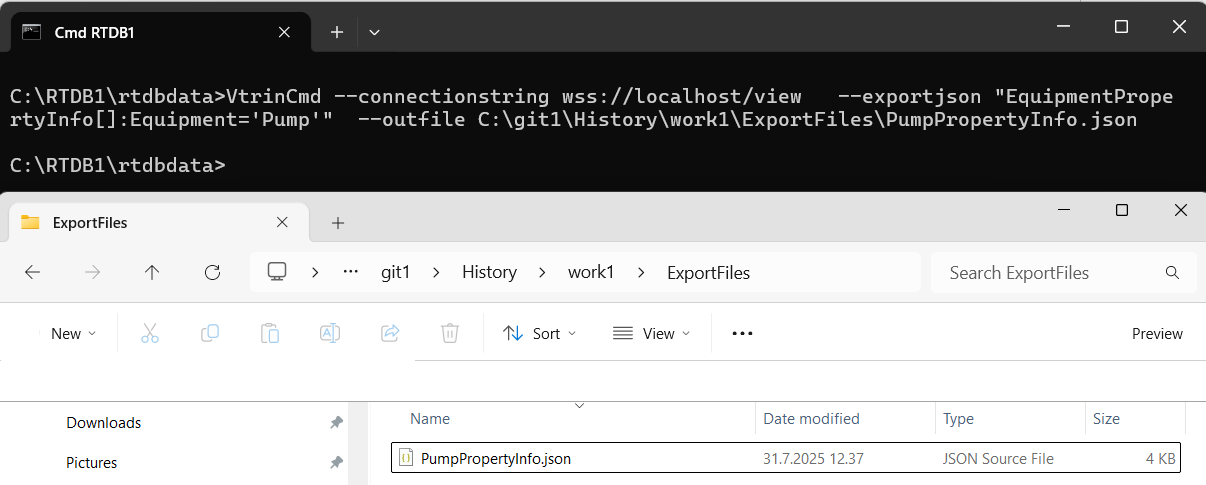
The screenshot is for illustration purposes only. Please replace with your own values.
Export All Equipment Instances
VtrinCmd --connectionstring /path/to/your/data --exportjson Path --outfile .\target-folder-path\filename.jsonJSON output: All instances defined under the base class. Each instance definition contains metadata describing fields such as Id, Name, DisplayName, and link back to its parent via the Equipment field.
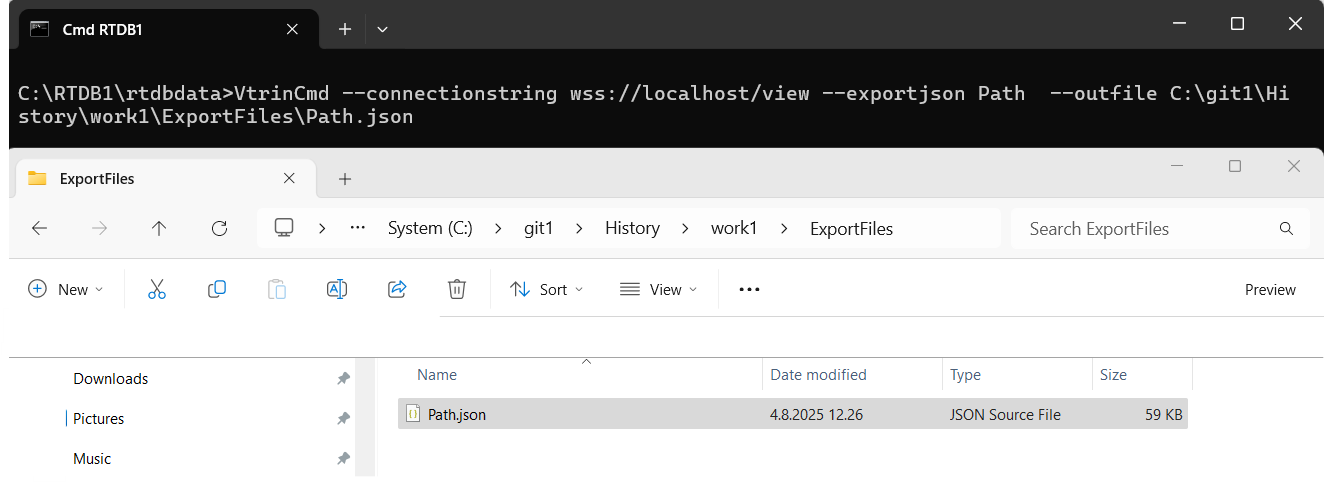
The screenshot is for illustration purposes only. Please replace with your own values.
Export Selected Equipment Instances from Multiple Classes
VtrinCmd --connectionstring /path/to/your/data --exportjson ClassName1[properties]:Mask | ClassName2[properties]:Mask | ClassName3[properties]:Mask --outfile .\target-folder-path\filename.jsonJSON output: Only equipment instances match the provided mask. Each instance contains metadata detailing fields such as Id, Name, DisplayName, and link back to its parent via the Equipment field.
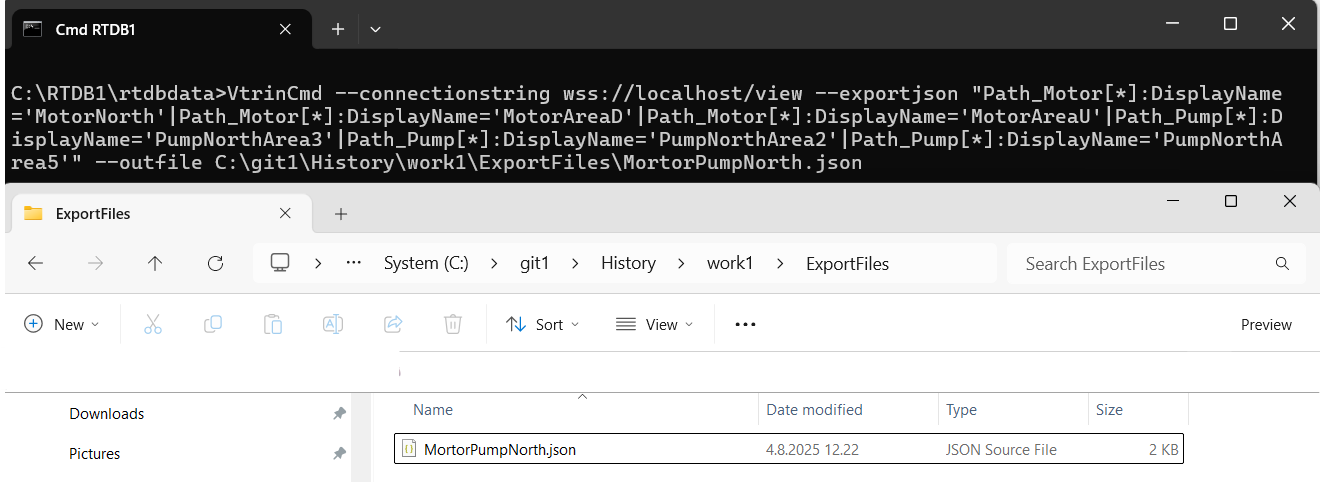
The screenshot is for illustration purposes only. Please replace with your own values.
Export Instances from a Single Equipment Class
VtrinCmd --connectionstring /path/to/your/data --exportjson ClassName[]:Mask --outfile .\target-folder-path\filename.jsonJSON output: All instances belonging to the specified equipment class/path. Each instance contains metadata detailing fields such as Id, Name, DisplayName, and link back to its parent via the Equipment field.
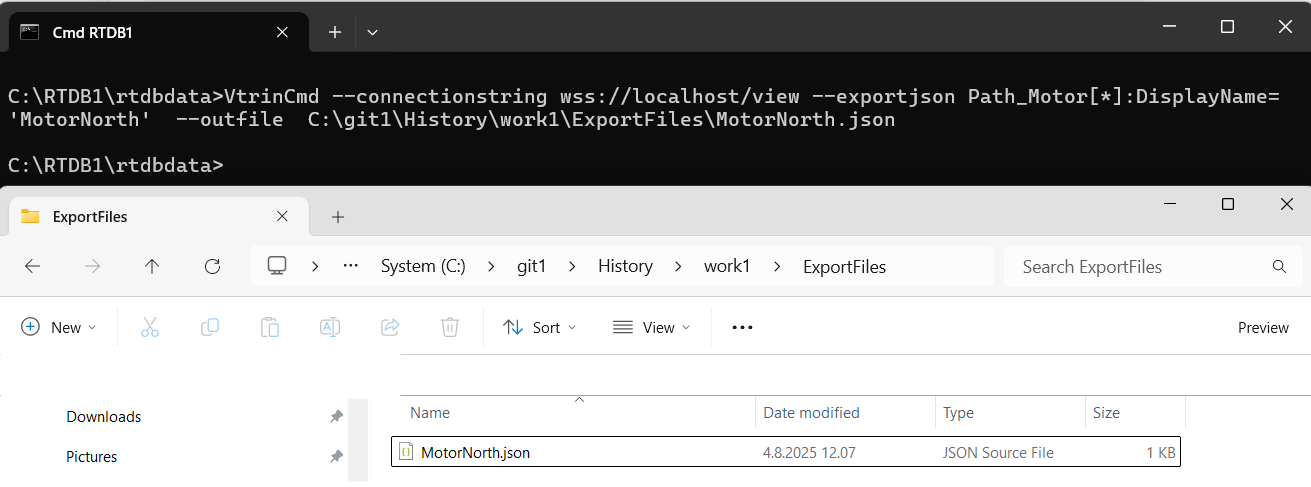
The screenshot is for illustration purposes only. Please replace with your own values.
Updated about 4 hours ago